Zai’s Digital Bulletin Board

Its been 5 months and 5 days since I’ve joined SVA and its a bummer that I still don’t know what most floors above or below me organize on the daily. The poster-bombing usually works as a trigger for to take my phone out to for a picture, But then 5 pictures later, I would never remember it again.

I’ve always been intriged by the concept of ‘waiting and time’ and how its degrees affect thought. For example : ‘I’m waiting for a train’ makes me think about 198838203 different things but as soon as I know my train is a little late, its one single unified thought about ‘why this train is late’.

Basically, ‘the time you spend waiting’ and how does one compute ‘waiting for something’ really thrills me.

Therefore, the digital bulletin board (TODAY) tells you what’s happening today for the 30 seconds you wait in a lift. It’s designed for Informed delight.

Now imagine you get into a lift with a child and he/she presses all the buttons… well … hold onto those intrusive thoughts cause TODAY, TODAY can keep you company.

Materials Used :

  • Monochrome OLED 0.96″ 128×64 OLED Graphic Display with STEMMA QT
  • Rotary switch
  • Adafruit Metroboard or compatible microcontroller
  • Jumper wires
  • Breadboard
  • Power supply (USB cable or batteries)
  • Enclosure : Acryllic sheets, Nuts & Bolts, Repurposed Dial

Instructables Tutorial Linkhttps://www.instructables.com/Digital-Bulletin-Board/

Wiring

Connect the components on the breadboard as follows:

OLED Display

  • GND goes to ground
  • Vin goes to 5V 
  • Data to I2C SDA (on the Metroboard, this is A4)
  • Clk to I2C SCL (on the Metroboard, this is A5)
  • RST to digital 4
  • Connect the rotary switch to the appropriate pins on the Metroboard/ Arduino Uno. Typically, these are digital input pins.
  • Check the Serial Monitor to identify active switch positions

Error battles and the serial monitor

Enclosure

Forms took shape!

Future

  • Would like to work more on the enclosure a lot more
  • A BIGGER display will be more effective (for sure)
  • I also intend on scaling this display towards other spaces perhaps, public spaces, residential apartments, schools, parks etc. Contextual data displayed for each of these spaces

Jinny ’s Final work progress☯️

I will continue with my Cyber Buddhist niche

I drew my storyboard in more detail

(It could be making a shrine and putting a screen in it, or it could be using a TV)

Cyber Buddhist niche style design:

I drew a design of a Buddha statue that will be projected onto the screen

I drew a printed Incantation paper:

(I will choose whether the charm is black or white based on the print effect of the printer)

prototype and circuit:

#include “HPD482.h” // Printer header file

#include “picture.h” // Image data to be printed

HPD482 printer = HPD482(); // Instantiate the printer module

void setup() {
pinMode(13, OUTPUT); // LED

// Printing starts here *//
printer.Print_SetDeep(8); // Set print color depth (used to modify print color depth, not necessary to set every time, already in the initialization, this line can be omitted)
printer.Print_Lines(5, 2); // Print 5 dashed lines with a spacing of 2mm
printer.Motor_Run(24, 0); // Rotate the stepper motor by 24/8=3mm for paper feed

printer.Print_Img2Lcd(0, (u8)Image, 1); // Print the image at coordinates 0 printer.Print_Img2Lcd(20, (u8)Image, 1); // Print the image at coordinates 20
printer.Print_Img2Lcd(44, (u8)Image, 1); // Print the image at coordinates 44 (the part exceeding the print range will be cropped) //* Printing ends //
}

void loop() {
if (digitalWrite(13) == 1) {
printer.Print_Img2Lcd(44, (u8*)Image, 1); // Print the image at coordinates 44 (the part exceeding the print range will be cropped)
}
}

Instructable link:

https://www.instructables.com/preview/E84OSMBLP8CJ7FX/

Google Doc:

https://docs.google.com/document/d/14P15nyfHn5E__6BFYVOq32yIpIK7rnOBctmEpH_VaYA/edit

Jinny’s Halloween Final Idea 🎃

Final idea:

Material:

Carton board

Transparent black plastic sheet

White and Black paint

LED light strip

  • Outer diameter: 44.5mm / 1.8″;
  • Inner diameter: 31.7mm / 1.2″

(Lamp strip to be used:https://www.adafruit.com/product/1463

Wire

battery box

Complete suit

Production progress:

1.Cut the side of the monitoring head out of the cardboard

2.Make bottom surface

3.Make the side facing forward

4.Make the slot for the head

5.Making the top cover

6.Raise the interior of the top cover+Fixed top cover

7.try on

LED design scheme

LED light circle emits red light and then white light-Simulate the lighting effect monitored by surveillance cameras

Tinkercad link:

https://www.tinkercad.com/things/2LNKiK57oPS?sharecode=KtO6puliJ8ZjsL72h6gmWmYd2NwGsdVDVRzPIZPjFts

Effect demonstration

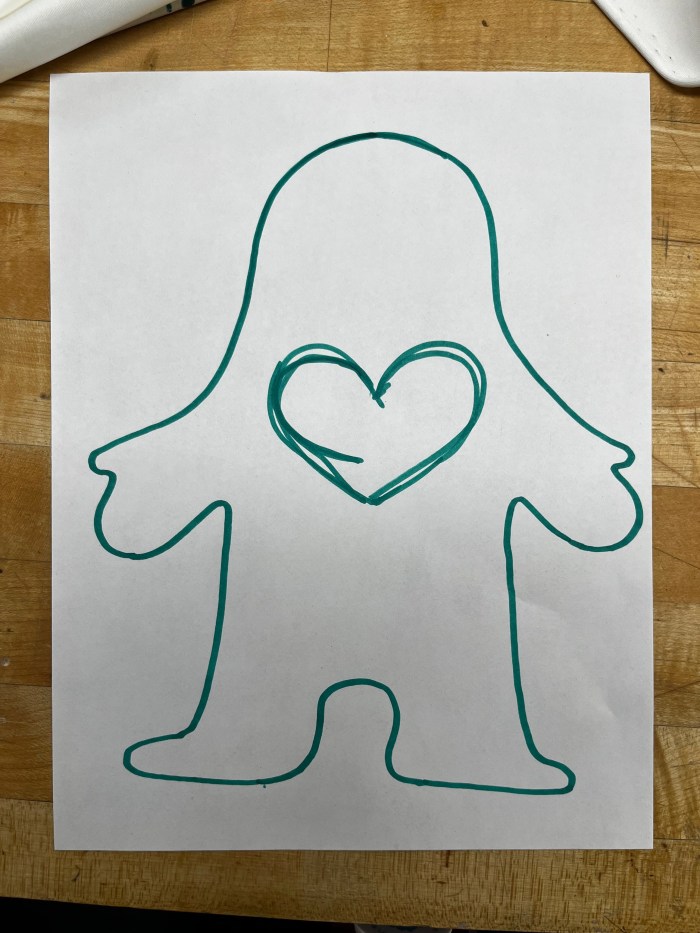
Jin’s flash night light—love makes us who we are💗

This flash light is inspired by my philosophy of life, which is that everyone is born equal, but it’s the people we meet, the environment we grow up in, and the cultures we come in contact with that make us unique individuals, and it’s the love in our hearts that makes us who we are.

But when I made this doll into a piece of clothing, I realized that it is not only a way to express oneself, but also a medium to convey warmth to the people around me.

Imagining on a cold night on the streets of New York, a stranger walking towards you wearing such a cute shirt, which emits warm light, would it not make you feel warm and sweet? So I wanted to make a shirt that lights up, that would allow people to transmit warmth and love to those around them even on a cold dark night.

Making processes:

1 Soldering the led light with the resistor.

9 put the heart shape fibric on the LEDs.

10 Test whether it can be lighten up

11 Sewing the doll on the T-shirt
circuit

12 Final~~~~

Astak IP-700 Surveillance Camera – Teardown

Hello! The MOLE is the all-in-one network camera for security and all your social network communities. A simple 3-step setup gets this Wi-Fi camera up and running so that you can automatically send video clips to YouTube, even if you’re not there. Sophisticated built-in motion detection controls what you record, and will notify you via Twitter or email if the Mole catches something.
You can remotely control the pan & tilt angles, and monitor or record video from anywhere in the world.

I was thrilled to break its parts down to see what this camera could see. For starters, an SD card came with !!

(unfortunately no footage on it)

This is the outer shelling of the camera as well as the body

Materials Used

  • Plastic: Many surveillance camera housings are made of durable plastic materials that are weather-resistant and lightweight.
  • Cables: Cables used in the camera may contain copper conductors for data and power transmission, surrounded by insulation materials.
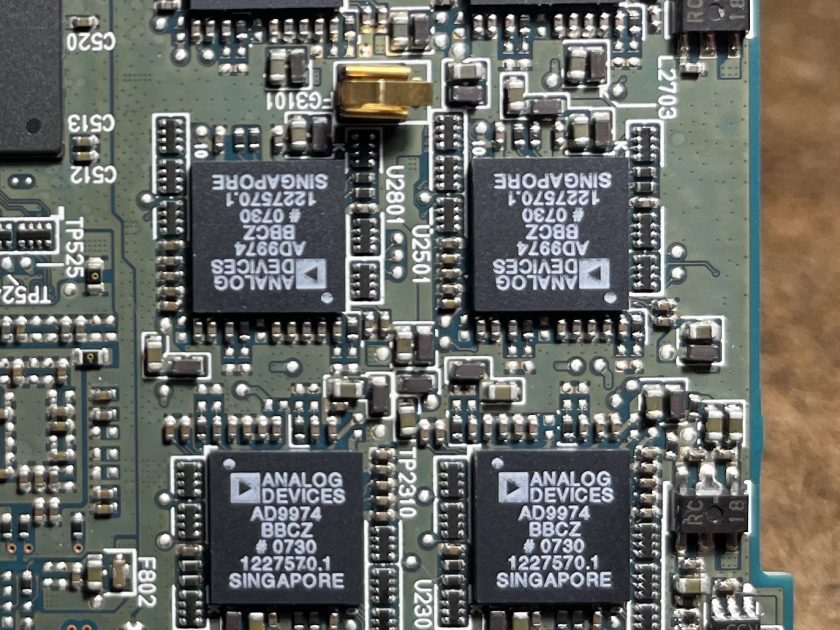
  • Electronic Components: The internal components of the camera, such as the printed circuit board (PCB), image sensor, and other electronic parts, are typically made of various electronic materials, including semiconductors and conductive materials.
  • Rubber Seals : To make them weather-proof and moisture proof
  • Mounting Hardware: Mounting brackets and screws may be made of metal or sturdy plastic, (injection moulding)
  • Glass or Acrylic: The camera lens cover was made of glass or acrylic to protect the lens
  • Plastic or Rubber Grommets: These are used to seal cable entry points and prevent water ingress.

Manufacturing Techniques Used

  • Injection Molding
  • Metal Fabrication
  • Soldering and PCB Assembly
  • Lens Installation
  • Infrared (IR) LED Integration
  • Software/Firmware Installation

Tools used

  • Micro Screwdrivers
  • Regular Screwdrivers
  • Hammer
  • Chisel

Interesting Design elements

  • I was surprised to see not too many screws on the inside and multiple locking mechanisms to ensure there was no way water or dust could enter the camera. The build was super sturdy and pulling the two (Base & Camera) apart was definitely an issue.
  • The second thing that blew me away was the amount of tech and chips and dips in a product so small.
  • And the third is definitely have to be the Motorized Mechanisms (Pan, Tilt, Zoom) within the camera. Would love to learn a lot more!

Here’s a teardown video

📷💥Nicon D3 Teardown

📄 The introduction of Nicon D3 camera

the reason that why I chose the camera is because I really into taking photographs by using film camera as well as SLR camera. different from the silver salt reaction, SLR camera utilized the CCD(Charge-coupled device) and the CMOS to record light informations so that we can take pictures much more easily and spread the photos more easily. So i’d like to figure out how those electronic componds are arranged in the camera body to achieve those powerful founctions.

🔧 The processes of assembly:

1 Remove all the screws that I can find

2 Use the heating gun to melt the rubber on the camera body.

3 Remove the screws under the rubbers.

4 Divide the camera into several parts.

5 Tear down the motherboard.

Here is the assembly process video 🔽

⚙️ The main components of the camera:

✍️ my thoughts:

1 Nikon uses a lot of screws to connect different parts rather than using glue which makes the camera easy to take apart and easy to be repaired.

2 The body of the camera is made of magnesium which makes it as solid as a brick, all the parts are designed to use screws attach to it.

3 Robust surfaces, soft rubber on the grips, oversized buttons, locked controls, and environmental seals add up to a purposeful camera that has been designed with the requirements of the professional photographer in any situation.

Fading in and out of color

Hello,

I had a lot of fun with the RGB LED this week. Instead of using a pingpong ball to diffuse it I used a flexible plastic material and was able to film the subtle differences in color through my phone’s camera by placing the plastic directly on the lens of the camera. I played some Amadou & Mariam in the background for rhythm:


In the second exercise for this week it was hard to get super creative, but I was able to change the rate of fade. Here is a faster fade than the original with the delay at 5:

Thank you for visiting!

I’ll never let you down, little servo!

Hi, everybody!  So, I did my best to modify this code a little bit, but never really understood why I couldn’t control the function better. I’m pocketing this question for class. But, here’s what the sample code looks like:

[code]

#include <Servo.h>

Servo myservo;

int pos = 0;

void setup()
{
myservo.attach(9);
}

void loop()
{
for(pos = 0; pos <= 180; pos += 1)
{
myservo.write(pos);
delay(15);
}
for(pos = 180; pos>=0; pos-=1)
{
myservo.write(pos);
delay(15);
}
}

[/code]

Here’s the closest thing to the way I had it in the end, when it still wasn’t functioning… I don’t have a video of that, because it really wasn’t any different with the exception of a little skip in the middle of the sweep.

[code]

#include <Servo.h>

Servo myservo;

int pos = 0;

void setup()
{
myservo.attach(9);

void loop()
{
for(pos = 0; pos <= 10; pos += 1)
{
myservo.write(pos);
delay(50);
}
for(pos = 10; pos <= 20; pos -= 1)
{
myservo.write(pos);
delay(50);
}
for(pos = 10; pos <= 20; pos += 1)
{
myservo.write(pos);
delay(50);
}
for(pos = 20; pos <= 30; pos += 1)
{
myservo.write(pos);
delay(50);
}
for(pos = 30; pos <= 40; pos += 1)
{
myservo.write(pos);
delay(50);
}
for(pos = 40; pos <= 50; pos += 1)
{
myservo.write(pos);
delay(15);
}
for(pos = 50; pos <= 60; pos += 1)
{
myservo.write(pos);
delay(15);
}
for(pos = 60; pos <= 70; pos += 1)
{
myservo.write(pos);
delay(15);
}
for(pos = 70; pos >= 80; pos -= 1)
{
myservo.write(pos);
delay(15);
}
for(pos = 80; pos <= 90; pos += 1)
{
myservo.write(pos);
delay(15);
}
for(pos = 90; pos <= 100; pos += 1)
{
myservo.write(pos);
delay(15);
}
for(pos = 100; pos <= 110; pos += 1)
{
myservo.write(pos);
delay(15);
}
for(pos = 110; pos <= 120; pos += 1)
{
myservo.write(pos);
delay(15);
}
for(pos = 120; pos <= 130; pos += 1)
{
myservo.write(pos);
delay(15);
}
for(pos = 130; pos <= 140; pos += 1)
{
myservo.write(pos);
delay(15);
}
for(pos = 140; pos <= 150; pos += 1)
{
myservo.write(pos);
delay(15);
}

for(pos = 150; pos <= 160; pos += 1)
{
myservo.write(pos);
delay(15);
}
for(pos = 160; pos <= 170; pos += 1)
{
myservo.write(pos);
delay(15);
}
for(pos = 170; pos <= 180; pos += 1)
{
myservo.write(pos);
delay(15);
}
for(pos = 180; pos <= 0; pos -= 1)
{
myservo.write(pos);
delay(15);
}
}

[/code]

And here’s the video of the successful function, although I’m not happy that that’s all it does. I wanted it to function like an old yard sprinkler.

Thanks for looking!

Will