Zai’s Digital Bulletin Board

Its been 5 months and 5 days since I’ve joined SVA and its a bummer that I still don’t know what most floors above or below me organize on the daily. The poster-bombing usually works as a trigger for to take my phone out to for a picture, But then 5 pictures later, I would never remember it again.

I’ve always been intriged by the concept of ‘waiting and time’ and how its degrees affect thought. For example : ‘I’m waiting for a train’ makes me think about 198838203 different things but as soon as I know my train is a little late, its one single unified thought about ‘why this train is late’.

Basically, ‘the time you spend waiting’ and how does one compute ‘waiting for something’ really thrills me.

Therefore, the digital bulletin board (TODAY) tells you what’s happening today for the 30 seconds you wait in a lift. It’s designed for Informed delight.

Now imagine you get into a lift with a child and he/she presses all the buttons… well … hold onto those intrusive thoughts cause TODAY, TODAY can keep you company.

Materials Used :

  • Monochrome OLED 0.96″ 128×64 OLED Graphic Display with STEMMA QT
  • Rotary switch
  • Adafruit Metroboard or compatible microcontroller
  • Jumper wires
  • Breadboard
  • Power supply (USB cable or batteries)
  • Enclosure : Acryllic sheets, Nuts & Bolts, Repurposed Dial

Instructables Tutorial Linkhttps://www.instructables.com/Digital-Bulletin-Board/

Wiring

Connect the components on the breadboard as follows:

OLED Display

  • GND goes to ground
  • Vin goes to 5V 
  • Data to I2C SDA (on the Metroboard, this is A4)
  • Clk to I2C SCL (on the Metroboard, this is A5)
  • RST to digital 4
  • Connect the rotary switch to the appropriate pins on the Metroboard/ Arduino Uno. Typically, these are digital input pins.
  • Check the Serial Monitor to identify active switch positions

Error battles and the serial monitor

Enclosure

Forms took shape!

Future

  • Would like to work more on the enclosure a lot more
  • A BIGGER display will be more effective (for sure)
  • I also intend on scaling this display towards other spaces perhaps, public spaces, residential apartments, schools, parks etc. Contextual data displayed for each of these spaces

Zai’s Halloween Linguini Costume

Happy Halloween!

“Ratatouille” is a beloved animated film that many people grew up with, and dressing up as Linguini can be a nostalgic and heartwarming choice for movie fans. I witnessed that in the parade as people jumped in to take pictures!

It also fell into place when Jin came along to be my +1 for this costume duo. The ecstatic smiles and just gleams we received at the parade was not less of a compliment.

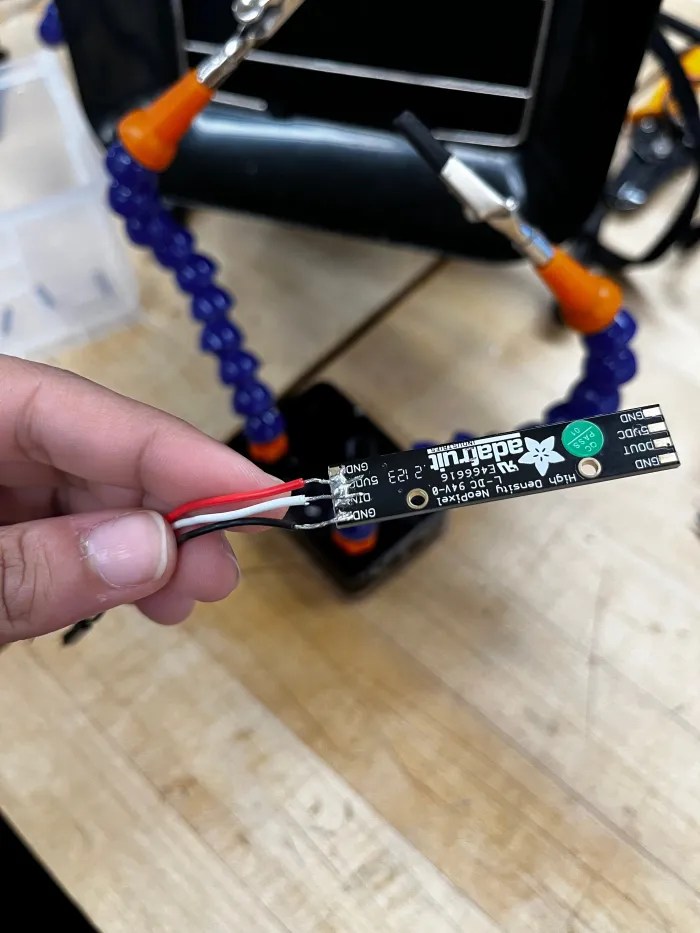
My intention with the LEDs was to create a lightbox to highlight ‘Remy’ character. As its Halloween, I also wanted to switch it up and make ‘remy pull the wrong nerve’ (evil)

How I made it

  • Materials: Parchment paper, velcro, acrylic band + sheet (lazercut mouse) , wire
  • Focussing on creating the most optimal lightbox, that could cast the perfect shadow, I began working on creating a study paper hat that would carry the weight of the batteries, past materials

Code

https://www.tinkercad.com/things/b67cPg5DA9G-copy-of-rgbw-strand-test/editel?tenant=circuits

#include <Adafruit_NeoPixel.h>

#define LED_PIN 1 // Define the Gemma’s data pin to which the LED strip is connected.

#define BUTTON_PIN 2 // Define the pin where the button is connected.

#define NUM_LEDS 30 // Change this to the number of LEDs in your strip.

Adafruit_NeoPixel strip = Adafruit_NeoPixel(NUM_LEDS, LED_PIN, NEO_GRB + NEO_KHZ800);

bool buttonPressed = false;

bool isRed = true; // Start with red color

void setup() {

strip.begin();

strip.show(); // Initialize all pixels to ‘off’

pinMode(BUTTON_PIN, INPUT_PULLUP); // Enable the internal pull-up resistor for the button pin

}

void loop() {

if (digitalRead(BUTTON_PIN) == LOW) {

// Button is pressed

if (!buttonPressed) {

// If the button was just pressed, toggle between red and yellow

buttonPressed = true;

isRed = !isRed;

if (isRed) {

setRed();

} else {

setYellow();

}

}

} else {

buttonPressed = false; // Reset the buttonPressed flag

}

}

void setRed() {

for (int i = 0; i < strip.numPixels(); i++) {

strip.setPixelColor(i, strip.Color(255, 0, 0)); // Red

}

strip.show();

}

void setYellow() {

for (int i = 0; i < strip.numPixels(); i++) {

strip.setPixelColor(i, strip.Color(200, 100, 50)); // Yellow

}

strip.show();

}

Things I would like to do differently

  • Solder better and effectively us the heat-shrinking tube
  • Find a better way to cast a shadow. Maybe?

Zai’s Neopixels and Halloween Costume Ideas

I wish I could convince 14 y/o Zai to get her hands dirty with Arduinos that time. But I can sure tell 25 y/o Zai that she did it. And she’s doing it well.

https://youtube.com/shorts/Ax2FtOjV23c

My Custom Tinkercad

Halloween Costume IDEAS

  1. Amitabh Bachchan – Saara Zamana – One of the most iconic Bollywood singles from the early 80s by this legendary Actor in Indian Cinema.

While he’s worn lines of individual bulbs, I was thinking of recreating it with LED Strips and with a speaker output playing the song on queue. Weird? Too much? I know 🙂

2. Linguini Caught with Remy – Rataouille ref

A lit-up chef’s hat with Remy’s silhouette through the hat. With a speaker with playing the score once the light turns on

If my sketch doesn’t do justice (we have the same hair)

Zai’s Ampers’hand Plush night light

Hi folks! Meet Ampers’hand.

Your friendly night light for small groups of people to stay together in a crowd. As public gatherings and events have had a comeback, getting lost in crowds has also had a larger comeback. Initially thought out as an additional assistive hand for mums with more than two children; I soon realized, music festival go-ers, friend groups, tourists etc could get an extra hand.

I wanted to add a third dimension to an ‘alphabet’ or a sign or a universal symbol for this project. The ‘&’ happened to spark my thought further adding to the ‘pun’

DOES IT LIGHT UP?

Yes, I would like to light it up with a touch sensor so that it blinks every time someone touches the Ampers’hand. But with my limited knowledge with circuits, I could only make it blink.

My intention with the light is to make the users feel at ease and comfortable to be with their close ones.

Materials I used for this project were Foam Stuffing, Cotton cloth, and wire. This also happens to be my first time sewing and using a needle and cloth so it was quite challenging to work my way around a shape this complex.

Due to some difficulties, I had to cut of a certain part of the ‘&’ so that the later stages of folding the cloth inside-out or stuffing or wiring wouldn’t be a problem

For the ease of stuffing, I had to keep multiple openings on the &.

If there’s one think I’d like to change about this, it would be adding multiple LED’s to it for it to feel like a night light in full effect. The wiring ended up getting slightly loose once put in.

Zai’s Plush Night Light Proposal

The “Ampers’hand” is a night light for small groups of people to stay together in a crowd. As public gatherings and events have had a comeback, getting lost in crowds has also had a larger comeback. Initially thought out as an additional assistive hand for mums with more than two children; I soon realized, music festival go-ers, friend groups, tourists etc could get an extra hand.

I wanted to add a third dimension to an ‘alphabet’ or a sign or a universal symbol for this project. The ‘&’ happened to spark my thought further adding to the ‘pun’

Does it light up?

Yes, I would like to light it up with a touch sensor so that it blinks every time someone touches the Ampers’hand.

Materials used

Cotton or Linen

Hard padding – Foamboard or Cardboard

Pillow Stuffing

This is a scaled-down prototype, that I later realized couldn’t be turned inside out 🙁

Astak IP-700 Surveillance Camera – Teardown

Hello! The MOLE is the all-in-one network camera for security and all your social network communities. A simple 3-step setup gets this Wi-Fi camera up and running so that you can automatically send video clips to YouTube, even if you’re not there. Sophisticated built-in motion detection controls what you record, and will notify you via Twitter or email if the Mole catches something.
You can remotely control the pan & tilt angles, and monitor or record video from anywhere in the world.

I was thrilled to break its parts down to see what this camera could see. For starters, an SD card came with !!

(unfortunately no footage on it)

This is the outer shelling of the camera as well as the body

Materials Used

  • Plastic: Many surveillance camera housings are made of durable plastic materials that are weather-resistant and lightweight.
  • Cables: Cables used in the camera may contain copper conductors for data and power transmission, surrounded by insulation materials.
  • Electronic Components: The internal components of the camera, such as the printed circuit board (PCB), image sensor, and other electronic parts, are typically made of various electronic materials, including semiconductors and conductive materials.
  • Rubber Seals : To make them weather-proof and moisture proof
  • Mounting Hardware: Mounting brackets and screws may be made of metal or sturdy plastic, (injection moulding)
  • Glass or Acrylic: The camera lens cover was made of glass or acrylic to protect the lens
  • Plastic or Rubber Grommets: These are used to seal cable entry points and prevent water ingress.

Manufacturing Techniques Used

  • Injection Molding
  • Metal Fabrication
  • Soldering and PCB Assembly
  • Lens Installation
  • Infrared (IR) LED Integration
  • Software/Firmware Installation

Tools used

  • Micro Screwdrivers
  • Regular Screwdrivers
  • Hammer
  • Chisel

Interesting Design elements

  • I was surprised to see not too many screws on the inside and multiple locking mechanisms to ensure there was no way water or dust could enter the camera. The build was super sturdy and pulling the two (Base & Camera) apart was definitely an issue.
  • The second thing that blew me away was the amount of tech and chips and dips in a product so small.
  • And the third is definitely have to be the Motorized Mechanisms (Pan, Tilt, Zoom) within the camera. Would love to learn a lot more!

Here’s a teardown video

Hi! I’m Zai!

I’m a Brand Strategist and Packaging designer from Mumbai, India. I build identity systems and process-driven experiences for brands that believe in the context of culture. My work stems from various cultural influences that, delve into meaningful narratives, out of the visual fodder around me.

I’ve been working in the space of brand design and strategy to create images and narratives for brands for about 4 years and through these years I’ve had the chance to work with teams and individuals designing for spaces, brands, platforms, and initiatives that believe in the value of good design and the power it has to shape minds. From outputs ranging from Brand strategy, Identity systems, Packaging design, and art direction, I believe in the idea of working together to create a whole that is greater than the sum of its parts.

Apart from deep dives into artist discographies and endless listening hours, I also work on curating playlists by the day and am always open to requests 🙂

Scroll

A fun ongoing project I’m constantly working towards – the Women’s Mobility Project that sprouted during the course of Covid with a couple of friends.

Womxn’s Mobility Project is a project that amplifies stories, issues, anecdotes, histories and realities of non-binary, trans and womxn’s mobility in and claim to Indian public spaces. Urban and Online.

From what started as a conversation between three of my colleagues that pursue careers in art, film, and design, we decided to legitimize the project and make it public from an idea to a platform for individuals to share ideas, reflect their thoughts, and express their opinions.

Other than that I’m an outdoorsy person, (used to be) a national-level badminton player, a bouldering enthusiast, see-ing, seeking, and eating!